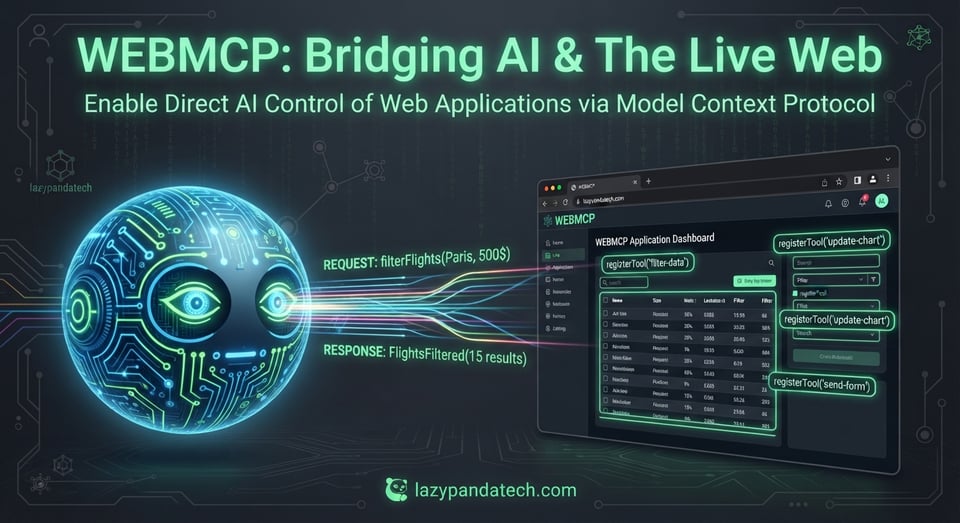
When Chrome recently introduced experimental support for WebMCP, I couldn't wait to test it out. As developers, we spend countless hours optimizing for human eyes and DOM structures, but preparing our apps for the rising wave of **ai agents** changes the game entirely.
To make this guide easier to discover and more relevant for readers, it now naturally covers ai agents, webmcp, web mcp protocol, ai website integration, webmcp tutorial, and how to use webmcp.
How Does WebMCP Work?
WebMCP is a client-side JavaScript interface that exposes your application's content directly to AI agents in a clean JSON format. Instead of forcing agents to parse heavy HTML pages, scrape unstructured markup, or guess their way through human-centric UI elements, developers can now offer dedicated API endpoints.
WebMCP is a new browser standard, shipping experimentally in Chrome 146, that shows up in the page as document.modelContext. A site can choose to expose a set of tools for agents running in the browser, meaning agents no longer have to guess their way through a page built for humans. This enables agents to have a different browsing experience from the user and use tokens on tasks, not navigation. The catch: the site has to implement it.
For instance, I publish numerous blogs and comic books on my site. To make this content easily accessible, I use **webmcp for ai agents** by exposing two straightforward endpoints:
Open the Chrome DevTools and select the WebMCP panel:
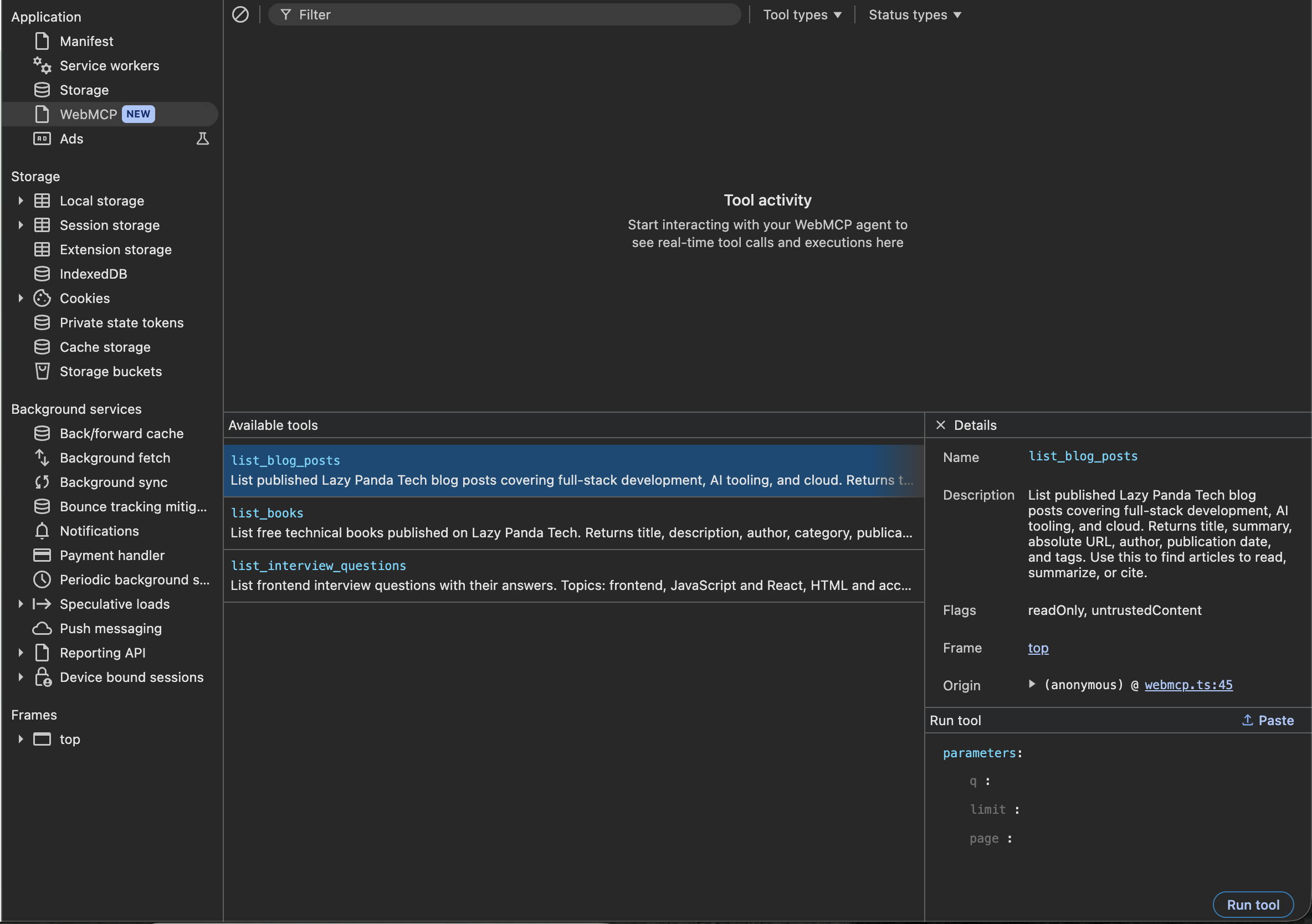
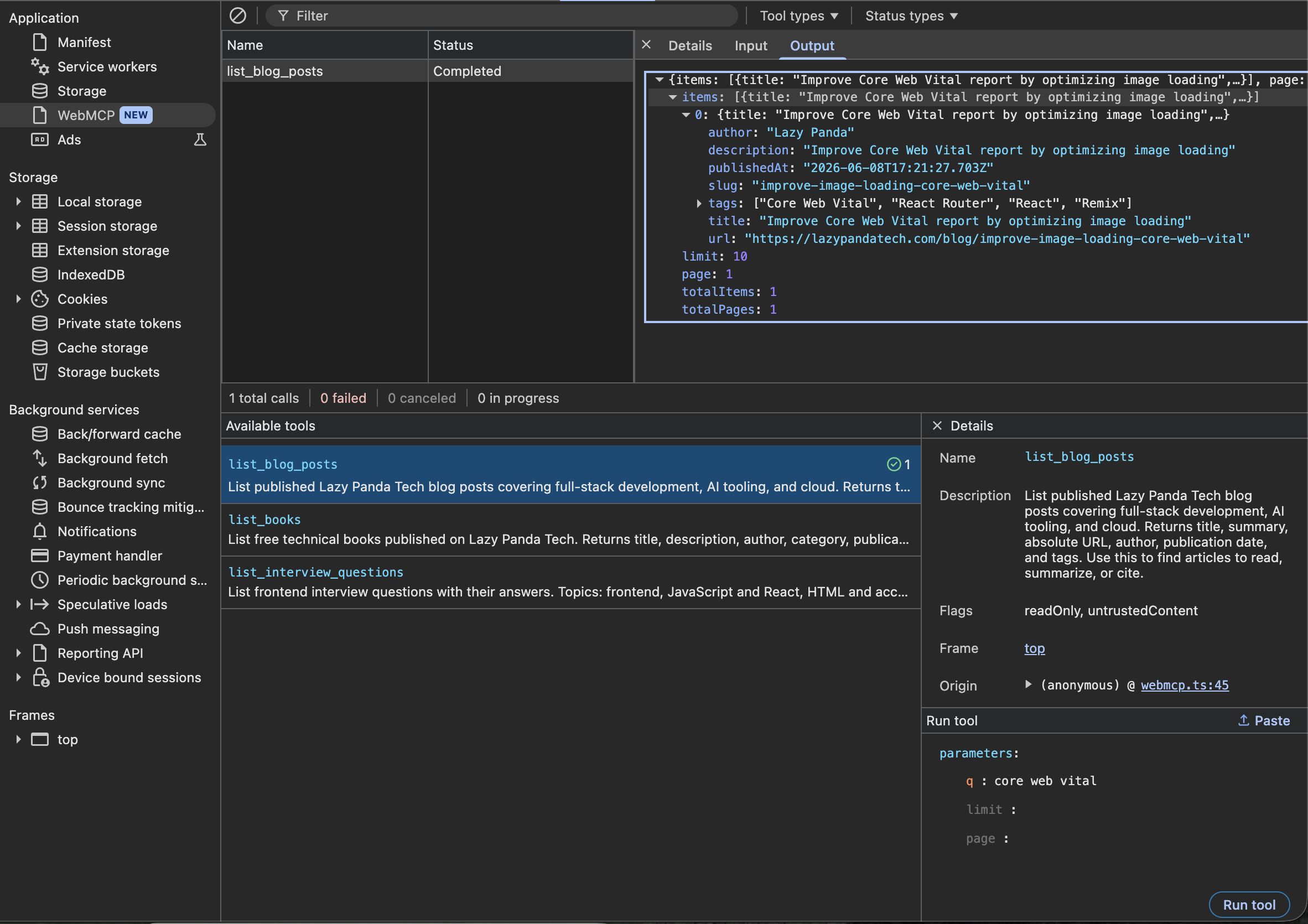
Once you select the list_blog_posts tool and click "Run tool," it executes the query and returns the blog data in a structured JSON format:
What Are the Benefits of WebMCP?
Embracing a proper **web mcp protocol** approach provides incredible advantages over traditional web scraping:
Eliminates Fragile DOM Scraping
Dramatically Lower Latency & Token Cost
Inherits Live Session & Auth Context
Built-In Safety & Human-in-the-Loop Control
Shared Logic Across Humans and Agents
How to Enable WebMCP on Your Website
I rely on imperative APIs to register tools using JavaScript, which grants finer control over complex interactions and application functionality. My current web app is built using React Router v8 and a Hono server to handle HTML pages and API routes. Consequently, I set up the following agent-ready routes:
| Tool                       | Endpoint                             | Filters                            |
| -------------------------- | ------------------------------------ | ---------------------------------- |
| `list_blog_posts`          | `GET /api/agent/blog`                | `q`, `limit` (1–25), `page` (1–50) |
| `list_books`               | `GET /api/agent/books`               | `q`, `limit`, `page`               |
| `list_interview_questions` | `GET /api/agent/interview-questions` | `q`, `limit`, `page`, `type`       |
document.modelContext only exists when Chrome has WebMCP enabled and the page is a secure context (HTTPS or localhost). Without the flag, the registration is a silent no-op—this is entirely intentional as part of progressive enhancement.
You can enable it using one of two methods:
The DevTools pane is bundled with the feature, so it only appears when the flag is active.
Crucially, once your endpoints are structured as agent tools, you must register them with a document.modelContext.registerTool call inside your app loader function. Always ensure this runs strictly on the client side.
Key Takeaways
WebMCP allows websites to expose structured JSON endpoints specifically for browser-based AI agents.
Using a native browser standard eliminates fragile DOM parsing and slashes token costs.
Implementation requires secure contexts and simple JavaScript tool registrations via document.modelContext.
Developers can easily test queries and inspect responses directly within Chrome DevTools.
Implementing proper **ai website integration** is no longer just a futuristic concept; it is becoming a practical developer skill. Let's enable WebMCP for your site today and build a seamless bridge for the next generation of autonomous web assistants.